|
QuickStart Guide

PlanJCore · PlayGround

Your Infrastructure. Your Rules. Your Server.

Votre infrastructure. Vos règles. Votre serveur.

Deploy a full backend environment in under 5 minutes — on Linux, macOS, or Windows.

Déployez un environnement backend complet en moins de 5 minutes — sur Linux, macOS ou Windows.

Get Started Commencer ⬇ Download PlanJCore.jar ⬇ Télécharger PlanJCore.jar
Installation
Installation

4 Steps to Get Started

4 étapes pour démarrer

Tested on Debian Trixie (GNOME) · Works identically on macOS and Windows

Testé sur Debian Trixie (GNOME) · Fonctionne identiquement sur macOS et Windows

A

🔑 Log Into Any AccountOuvrir une session

Log into any user account on your system. A graphical environment is recommended to use the web interface, but PlanJCore runs perfectly from the command line alone.

Connectez-vous à n'importe quel compte utilisateur sur votre système. Un environnement graphique est conseillé pour profiter de l'interface web, mais PlanJCore fonctionne parfaitement en ligne de commande.

B

Check JavaVérifier Java

PlanJCore requires Java 8 or later. Check your current version:

PlanJCore requiert Java 8 ou plus récent. Vérifiez votre version actuelle :

java -version

If Java is not installed, administrative privileges may be required. Visit openJDK.org for details, or on Debian/Ubuntu:

Si Java n'est pas installé, des droits administrateur peuvent être nécessaires. Visitez openJDK.org pour plus d'informations, ou sur Debian/Ubuntu :

sudo apt-get install openjdk-21-jdk
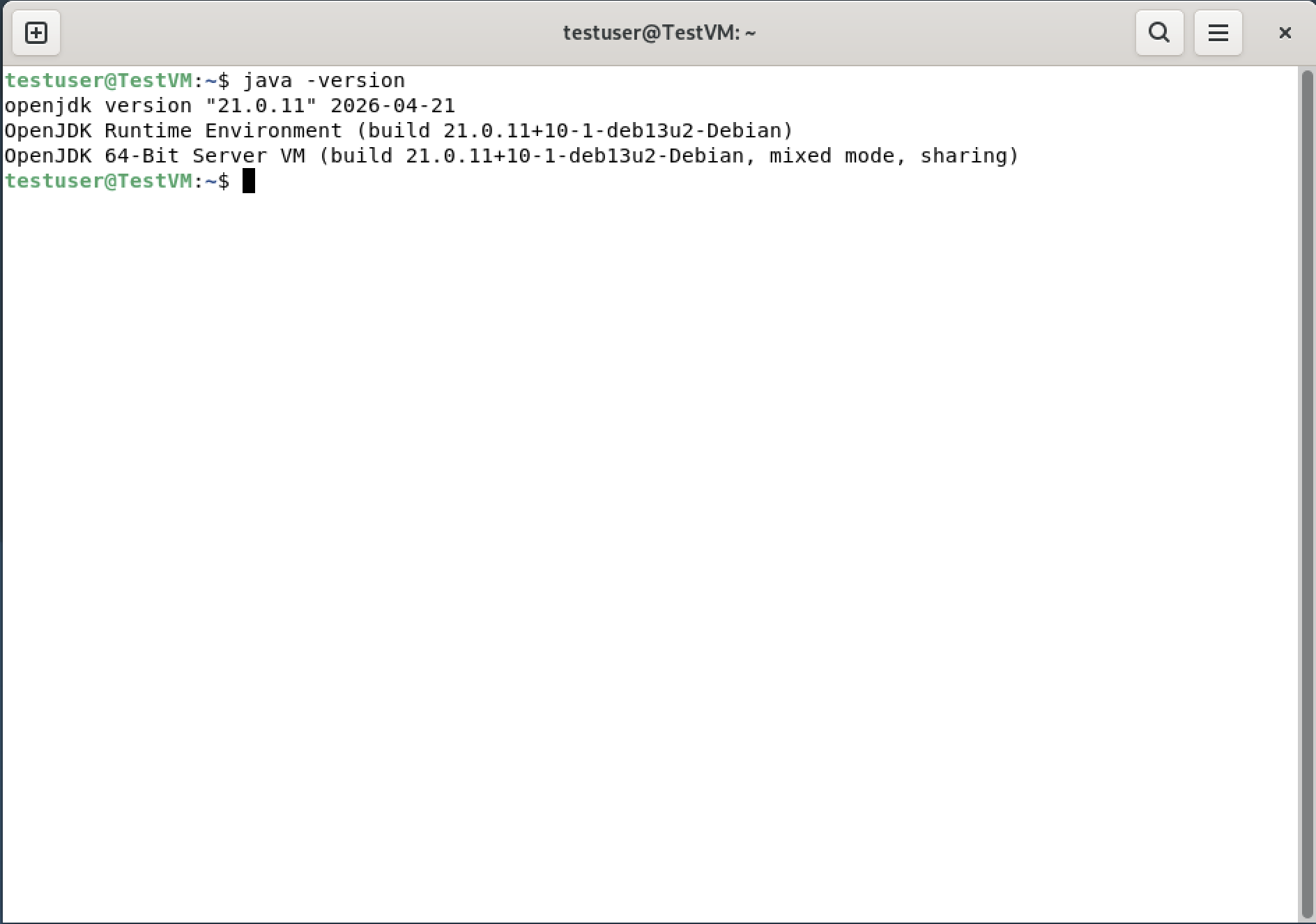
The screenshot below shows the expected result: OpenJDK 21.0.11 on a 2-core / 2 GB RAM Debian Trixie VM.
La capture ci-dessous montre le résultat attendu : OpenJDK 21.0.11 sur une VM Debian Trixie 2 cœurs / 2 Go RAM.
java -version in terminal
C

Get PlanJCoreObtenir PlanJCore

Download the JAR file from the official Plan-J repository:

Téléchargez le fichier JAR depuis le dépôt officiel Plan-J :

# With wget# Avec wget wget https://repo.planj.ca/repoGet/PlanJCore.jar # Or with curl# Ou avec curl curl -O https://repo.planj.ca/repoGet/PlanJCore.jar

You can also download it directly from your browser.

Vous pouvez aussi le télécharger directement depuis votre navigateur.
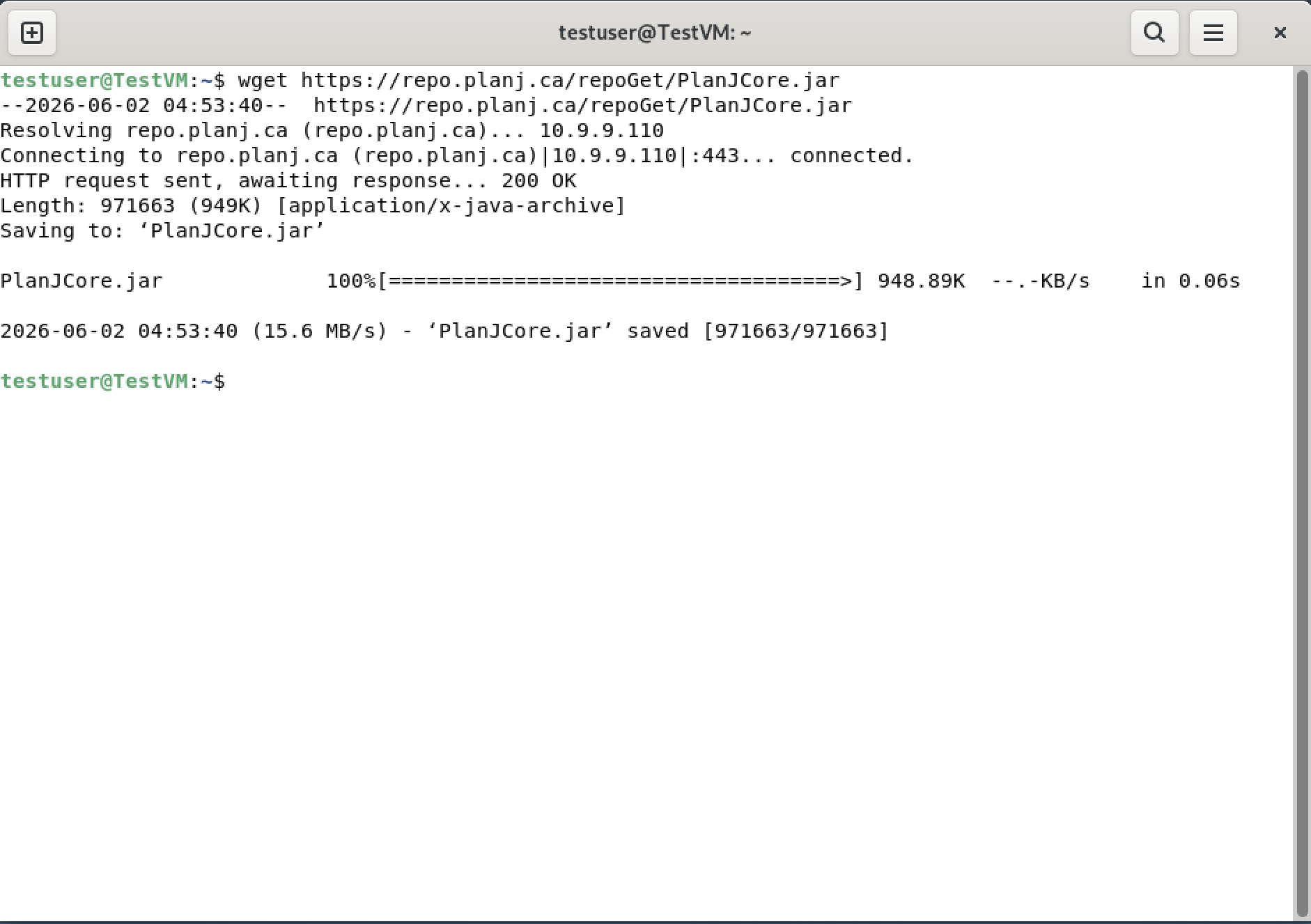
Downloading PlanJCore.jar with wget
D

🚀 Launch PlayGroundLancer PlayGround

From the directory where you downloaded the JAR:

Dans le répertoire où vous avez téléchargé le JAR :

# Standard launch# Lancement standard java -jar PlanJCore.jar # Recommended — limits memory usage to 64 MB# Recommandé — limite la mémoire à 64 Mo java -Xmx64m -jar PlanJCore.jar
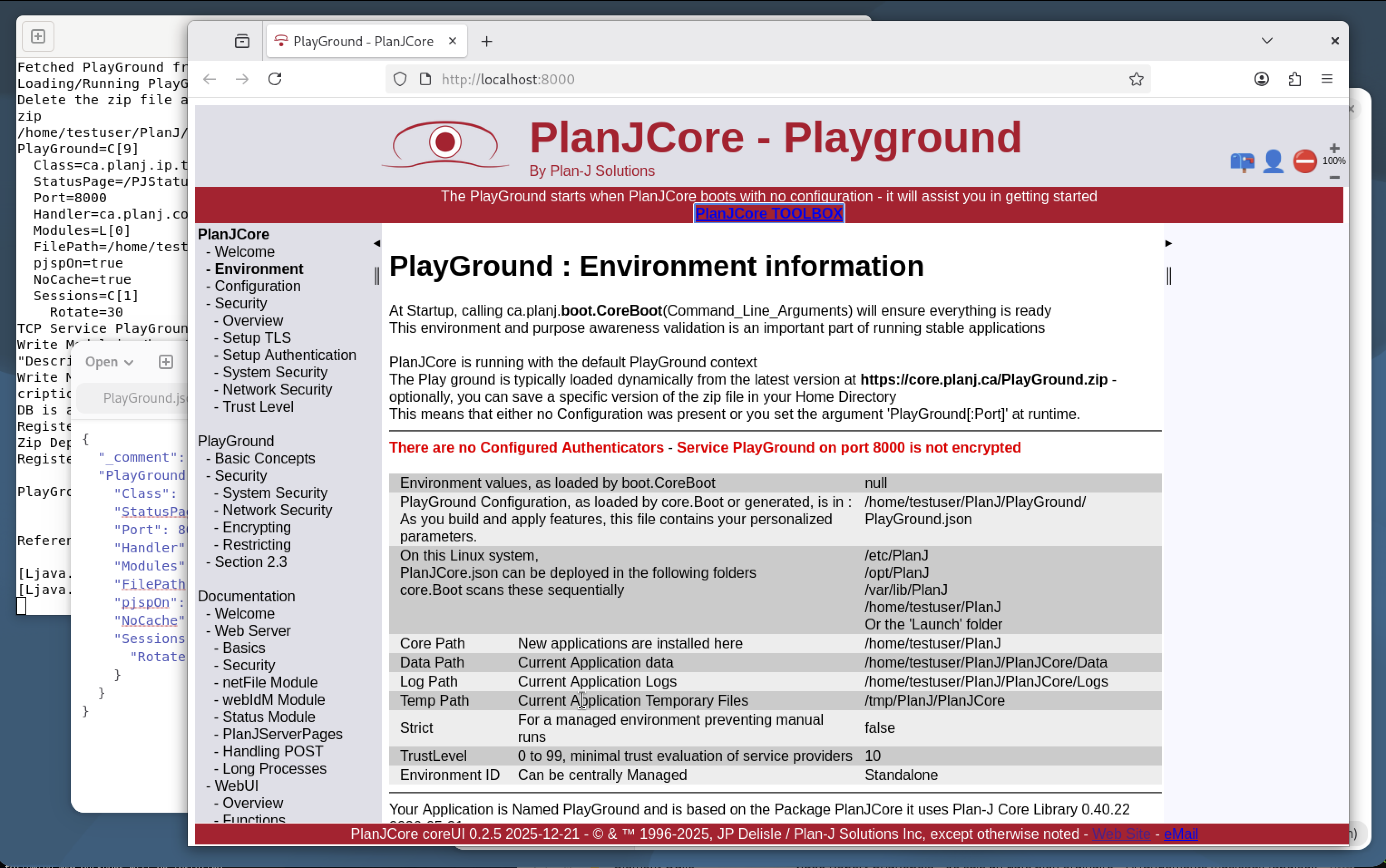
With a graphical environment: the browser opens automatically on the PlayGround.
Without a graphical environment: the URL and configuration file path are printed in the terminal.
Avec interface graphique : le navigateur s'ouvre automatiquement sur le PlayGround.
Sans interface graphique : l'URL et le chemin du fichier de configuration sont affichés dans le terminal.

If startup fails, send the error message to support@planj.ca.

Si le démarrage échoue, transmettez le message d'erreur à support@planj.ca.
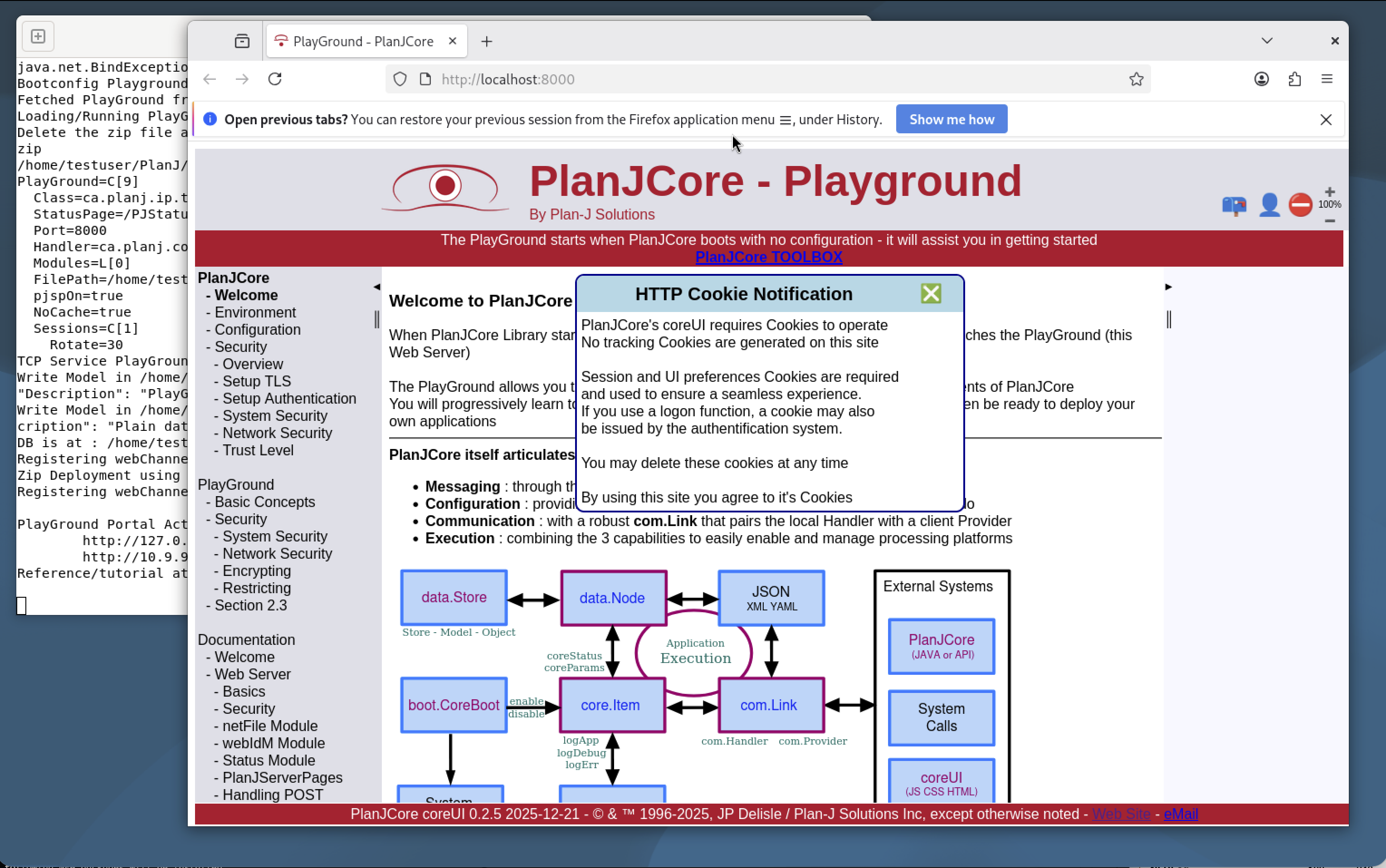
PlayGround open in browser
PlayGround Environment page
✅ PlayGround is live — ready to be configured and extended ✅ PlayGround est opérationnel — prêt à être configuré et adapté
Files & Structure Fichiers & Structure

Where Is Your Data? Où sont vos données ?

All files are directly accessible, editable, and can be backed up manually. Tous les fichiers sont accessibles, modifiables et sauvegardables manuellement.

Main LibraryLibrairie principale

./PlanJCore.jar

The JAR file you downloaded — the core PlanJCore library.

Le JAR téléchargé — la bibliothèque principale PlanJCore.

Remote IdentitiesIdentifiants distants

./RemoteIDs.json

Signatures of Plan-J reference servers. Recreated automatically if deleted. Initially points to the update repository.

Signatures des serveurs Plan-J de référence. Recréé automatiquement si supprimé. Pointe initialement vers le dépôt de mises à jour.

Web InterfaceInterface Web

./PlayGround.zip

The PlayGround website, fetched from Plan-J on first boot.

Le site web PlayGround, téléchargé depuis Plan-J au premier démarrage.

Global ConfigurationConfiguration globale

~/PlanJ/PlanJCore.json

System reference data and configurations shared by all Plan-J applications.

Données et configurations système partagées par toutes les applications Plan-J.

Common DataDonnées communes

~/PlanJ/PlanJCore/

Shared data and log folders for all PlanJCore applications.

Dossiers de données et de logs communs à toutes les apps PlanJCore.

PlayGround DataDonnées PlayGround

~/PlanJ/PlayGround/

Application-specific configuration and data. Each PlanJCore app has its own named folder.

Configuration et données spécifiques à cette application. Chaque app PlanJCore possède son propre dossier nommé.

Edit any file manually → restart → the new configuration loads automatically. Modifiez un fichier manuellement → redémarrez → la nouvelle configuration est chargée automatiquement.

🐧 Linux 🍎 macOS 🪟 Windows 🐳 Docker ☕ Java 8+
Monitoring Surveillance

PJStatus — Monitoring Center PJStatus — Centre de surveillance

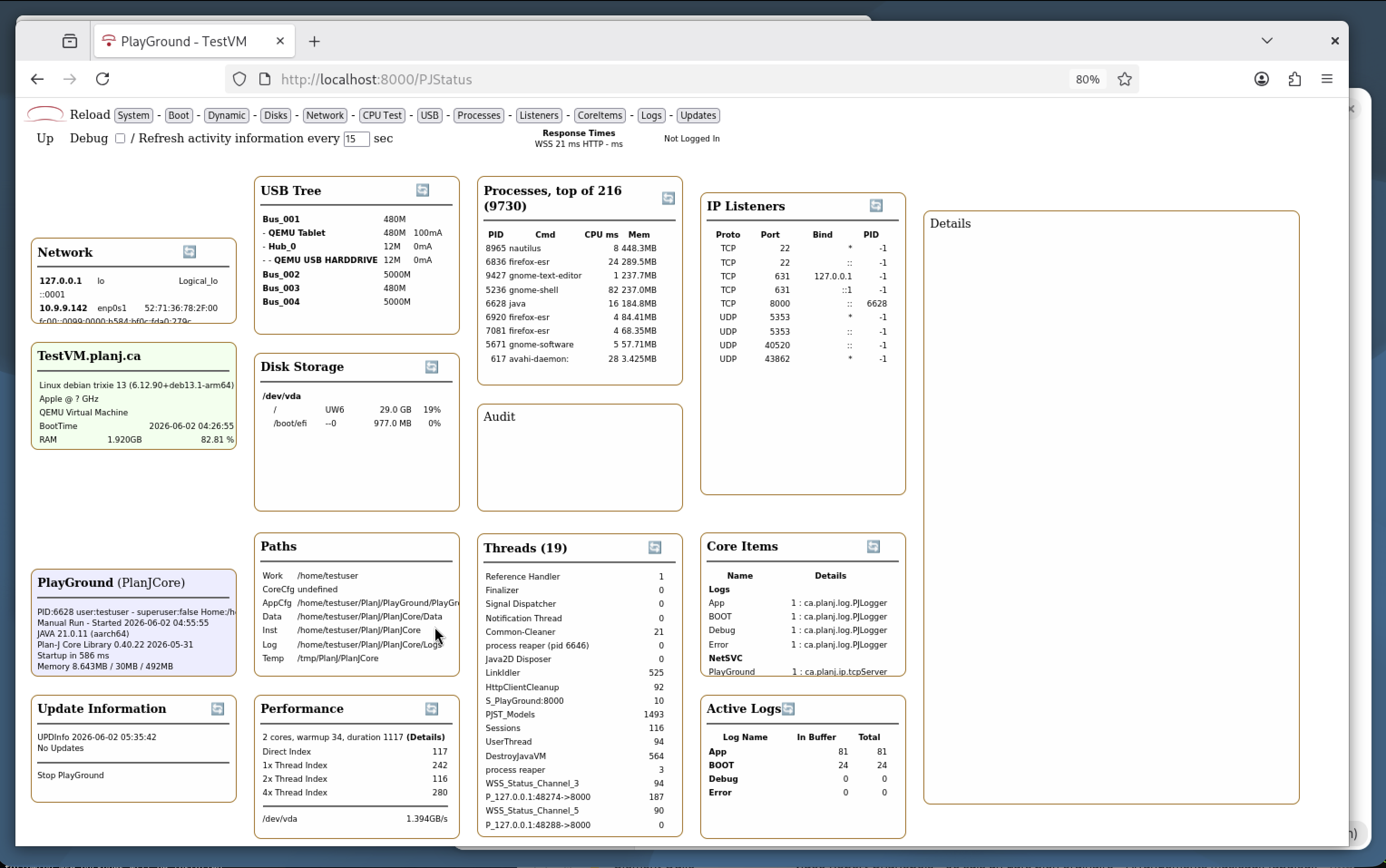
Access from your base URL: http://localhost:8000/PJStatus Accessible depuis votre URL de base : http://localhost:8000/PJStatus

PJStatus Dashboard
🌐

Network

Active network cards with IPv4 and IPv6 details.

Cartes réseau actives avec détails IPv4 et IPv6.

🖥️

SystemSystème

OS name, version, boot time, memory and CPU usage.

Nom OS, version, heure de démarrage, mémoire et usage CPU.

⚙️

ApplicationApplication

PID, user account, start time, Java version, library versions, and memory data.

PID, compte utilisateur, heure de démarrage, version Java, librairies et mémoire.

🔄

UpdatesMises à jour

Checks repo.planj.ca on demand. Installing an update stops the app — manual restart required.

Vérifie repo.planj.ca à la demande. Une mise à jour arrête l'app — redémarrage manuel requis.

🔌

USB Tree

Active USB devices (when available on the system).

Périphériques USB actifs (si disponibles sur le système).

💾

Disk Storage

Disk usage information — highlights disks nearing capacity.

Informations sur les disques — alerte visuelle si l'espace devient critique.

📁

Paths

Key folders used by the application.

Dossiers clés utilisés par l'application.

Performance

Performance index (base = single-core 700 MHz Raspberry Pi). Disk speed measured per physical disk.

Index de performance (base = Raspberry Pi 700 MHz un cœur). Vitesse disque mesurée par disque physique.

📊

Processes

Top 10 most active / memory-consuming processes — PID, CPU, and RAM.

Top 10 des processus les plus actifs — PID, CPU et RAM.

🧵

Threads

Active internal threads with CPU time spent. Click any thread for details.

Threads internes actifs avec temps CPU consommé. Cliquer pour les détails.

🔗

IP Listeners

All open TCP/UDP ports with the application PID for system tracking.

Tous les ports TCP/UDP ouverts avec le PID de l'application associée.

🧩

Core Items

PlanJCore components initialized dynamically or from startup config. Click each to view its status report.

Composants PlanJCore initialisés dynamiquement ou depuis la config. Cliquer pour le rapport d'état.

📋 Active Logs at StartupLogs actifs au démarrage

4 memory-based logs enabled by default — the last 100 entries are retained. Click a log name to view its contents. 4 logs mémoire activés par défaut — les 100 dernières entrées sont conservées. Cliquez sur le nom pour afficher le contenu.

LogLog RoleRôle Normal state (PlayGround)État normal (PlayGround)
App Standard application logLog applicatif standard Grows with each feature callGrandit à chaque appel de fonctionnalité
BOOT Startup info, errors & timingDémarrage, erreurs et timing Fixed content after bootContenu fixe après le boot
Debug Detailed execution traceTrace détaillée d'exécution Empty (normal)Vide (normal)
Error Errors from PlanJCore processesErreurs des processus PlanJCore Empty (normal)Vide (normal)

Logs can be reconfigured for file, syslog, or database persistence. Any number of logs can be created. Les logs peuvent être reconfigurés pour écriture dans un fichier, syslog ou base de données. Un nombre illimité de logs peut être créé.

Auto-refresh: some data updates automatically every 15 seconds. Most panels can also be refreshed on demand. The Up/Down indicator shows the state of the persistent WebSocket (WSS) connection. Rafraîchissement : certaines données se mettent à jour automatiquement toutes les 15 secondes. La plupart des panneaux peuvent être rafraîchis manuellement à la demande. Le voyant Up/Down indique l'état de la connexion WebSocket persistante (WSS).
Why PlanJCore? Pourquoi PlanJCore ?

Built for Backend — Portable by Nature Conçu pour le backend — portable par nature

🔒

SecuritySécurité

Configurable authentication, TLS, and built-in network restrictions.

Authentification configurable, TLS et restrictions réseau intégrées.

🧩

ModularModulaire

Dynamic Core.Items, logs, and APIs — everything is extensible.

Core.Items dynamiques, logs et APIs — tout est extensible.

🌍

PortablePortable

One JAR — Linux, macOS, Windows, Docker, Raspberry Pi.

Un seul JAR — Linux, macOS, Windows, Docker, Raspberry Pi.

🌐

API-FirstAPI-First

Any browser consumes the APIs directly. Java FX available for direct UI coding.

N'importe quel navigateur consomme les APIs. Java FX disponible pour UI directe.